Introduction
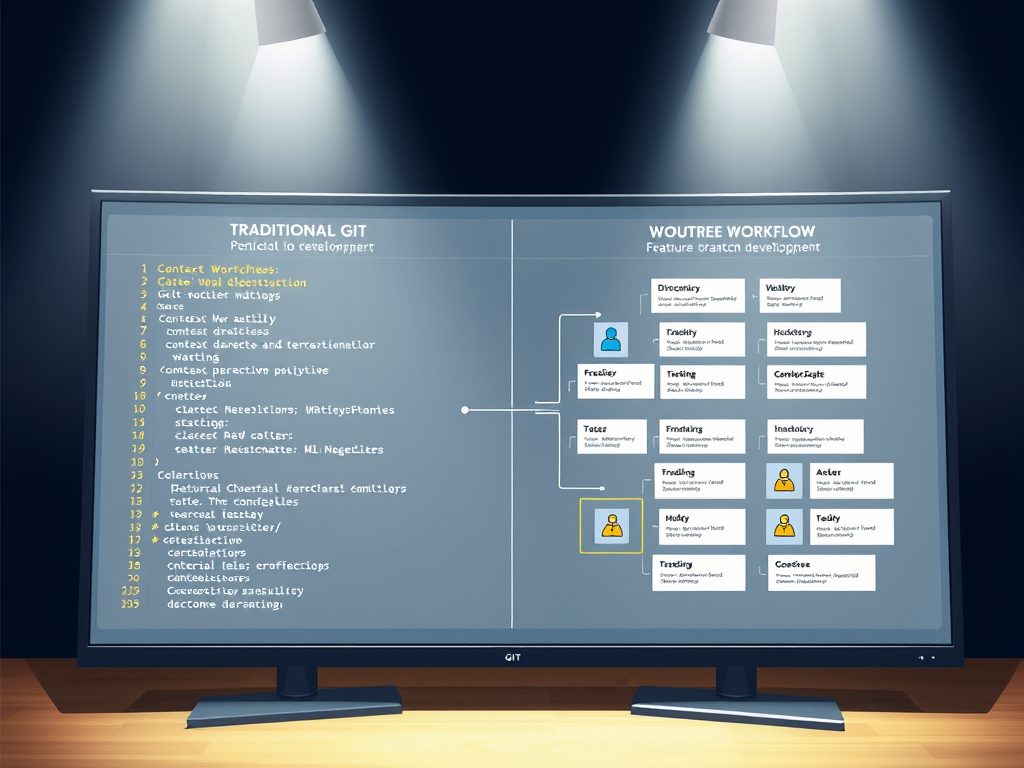
Modern software development often requires working on multiple features, bug fixes, or experiments simultaneously. The traditional Git workflow of constantly switching branches can be disruptive—stashing changes, context switching, and risking uncommitted work. Git worktrees provide an elegant solution by allowing multiple branches to coexist as separate working directories, all connected to a single repository.
This comprehensive guide explores how to effectively use Git worktrees to maintain parallel branches while keeping your codebase synchronized and your development workflow efficient.
Understanding Git Worktrees
What Are Worktrees?
A Git worktree is an additional working directory linked to the same repository. Unlike cloning a repository multiple times, worktrees share the same Git object database, history, and configuration, but each worktree can have a different branch checked out.
Traditional Workflow (Single Directory):
project/
├── .git/
├── src/
├── tests/
└── README.md

# Switching branches requires stashing or committing
git checkout feature-a
# Work on feature-a
git checkout feature-b
# Work on feature-b
Worktree Workflow (Multiple Directories):
project/              # Main worktree (main branch)
├── .git/
├── src/
└── tests/

project-feature-a/    # Additional worktree (feature-a branch)
├── src/
└── tests/

project-feature-b/    # Additional worktree (feature-b branch)
├── src/
└── tests/
Key Benefits
- No Context Switching: Each branch maintains its own working directory
- Parallel Development: Work on multiple features simultaneously in different terminals
- Efficient Storage: All worktrees share the same Git object database
- Urgent Interruptions: Handle hotfixes without disturbing ongoing work
- Testing Isolation: Run different test suites in parallel without conflicts
- Build Separation: Maintain separate build artifacts for different branches
Initial Setup and Configuration
Prerequisites
Git worktrees are available in Git 2.5+. Verify your version:
git --version
# Should show 2.5.0 or higher
Repository Configuration
Configure your main repository with best practices for worktree usage:
# Navigate to your repository
cd ~/projects/myproject

# Optional: Configure worktree-specific settings
git config core.worktree.guessRemote true
Directory Structure Planning
Establish a consistent directory structure for your worktrees:
# Recommended structure
~/projects/
├── myproject/              # Main worktree (default branch)
├── myproject-feature-*/    # Feature branches
├── myproject-hotfix-*/     # Hotfix branches
├── myproject-experiment-*/ # Experimental branches
└── myproject-release-*/    # Release branches
Creating and Managing Worktrees
Creating a New Worktree
Basic Syntax:
git worktree add <path> -b <new-branch> [<start-point>]
Create worktree with a new branch:
cd ~/projects/myproject

# Create a new feature branch from current HEAD
git worktree add ../myproject-feature-auth -b feature/authentication

# Create from a specific starting point (main branch)
git worktree add ../myproject-feature-api -b feature/api-endpoints main

# Create from a tag
git worktree add ../myproject-hotfix -b hotfix/security-patch v1.2.3
Checking out an existing branch:
# First, ensure the branch exists
git branch feature/existing-feature

# Create worktree for existing branch
git worktree add ../myproject-existing feature/existing-feature
Checking out a remote branch:
# Track and create worktree from remote branch
git worktree add ../myproject-remote-feature --track origin/feature/remote-feature
Listing Worktrees
# View all worktrees
git worktree list

# Example output:
# /home/user/projects/myproject           abc1234 [main]
# /home/user/projects/myproject-auth      def5678 [feature/authentication]
# /home/user/projects/myproject-api       ghi9012 [feature/api-endpoints]

# Detailed view with additional information
git worktree list --porcelain
Removing Worktrees
# Remove a worktree
git worktree remove ../myproject-feature-auth

# Or manually delete directory and clean up
rm -rf ../myproject-feature-auth
git worktree prune

# Force removal (if worktree has uncommitted changes)
git worktree remove --force ../myproject-feature-auth
Moving Worktrees
# Git tracks worktree locations
# If you move a worktree manually, update Git:
mv ~/projects/myproject-auth ~/projects/archived/myproject-auth
git worktree repair ~/projects/archived/myproject-auth

# Or let Git handle the move
git worktree move ~/projects/myproject-auth ~/projects/archived/myproject-auth
Workflow Patterns for Parallel Development
Pattern 1: Feature Development Workflow
This pattern is ideal for developing multiple features concurrently.
# Start from main repository
cd ~/projects/myproject
git checkout main
git pull origin main

# Create worktree for Feature A
git worktree add ../myproject-feature-user-profile -b feature/user-profile

# Create worktree for Feature B
git worktree add ../myproject-feature-notifications -b feature/notifications

# Work on Feature A
cd ../myproject-feature-user-profile
# ... develop, test, commit ...
git add .
git commit -m "Implement user profile page"
git push -u origin feature/user-profile

# Simultaneously work on Feature B (different terminal/IDE)
cd ~/projects/myproject-feature-notifications
# ... develop, test, commit ...
git add .
git commit -m "Add notification system"
git push -u origin feature/notifications

# Create pull requests for both features
# Review and iterate independently
Pattern 2: Hotfix While Developing
Handle urgent production issues without disrupting ongoing feature work.
# Already working on feature in one worktree
cd ~/projects/myproject-feature-complex
# ... deeply involved in feature development ...

# Urgent bug reported in production
# Open new terminal, create hotfix worktree from main
cd ~/projects/myproject
git fetch origin
git worktree add ../myproject-hotfix-critical -b hotfix/critical-security-issue origin/main

cd ../myproject-hotfix-critical
# ... fix the critical issue ...
git add .
git commit -m "Fix critical security vulnerability"
git push -u origin hotfix/critical-security-issue

# Deploy hotfix immediately
# Return to feature work (original terminal unchanged)
cd ~/projects/myproject-feature-complex
# Continue exactly where you left off
Pattern 3: Experimental Branches
Test risky changes or explore alternative implementations without affecting stable work.
# Create experimental worktree
cd ~/projects/myproject
git worktree add ../myproject-experiment-refactor -b experiment/architecture-refactor

cd ../myproject-experiment-refactor
# ... experiment with major refactoring ...
# ... run tests, benchmark performance ...

# If experiment successful, create PR
git push -u origin experiment/architecture-refactor

# If experiment fails, simply delete
cd ~/projects/myproject
git worktree remove ../myproject-experiment-refactor
git branch -D experiment/architecture-refactor
Pattern 4: Release Management
Maintain multiple release versions simultaneously.
# Support multiple versions
cd ~/projects/myproject

# Main development (v2.0)
# Already on main branch

# Support v1.x releases
git worktree add ../myproject-v1-support -b release/v1.x origin/release/v1.x

# Critical fix needed in v1.x while developing v2.0
cd ../myproject-v1-support
# ... apply fix compatible with v1.x ...
git add .
git commit -m "Backport security fix to v1.x"
git push origin release/v1.x
git tag v1.5.3
git push origin v1.5.3

# Continue v2.0 development undisturbed
cd ~/projects/myproject
# ... work on v2.0 features ...
Keeping Codebase in Sync
Strategy 1: Regular Rebasing
Keep feature branches updated with the latest main branch changes.
# In each worktree, periodically sync with main
cd ~/projects/myproject-feature-auth

# Fetch latest changes
git fetch origin

# Rebase on updated main
git rebase origin/main

# If conflicts occur, resolve them
# ... edit conflicting files ...
git add .
git rebase --continue

# Force push (your branch only)
git push --force-with-lease origin feature/authentication
Automated rebase script:
#!/bin/bash
# sync-worktree.sh

WORKTREE_PATH=$1
BASE_BRANCH=${2:-main}

cd "$WORKTREE_PATH" || exit 1

echo "Syncing worktree: $WORKTREE_PATH"
echo "Current branch: $(git branch --show-current)"

# Fetch latest
git fetch origin

# Rebase
if git rebase "origin/$BASE_BRANCH"; then
    echo "✓ Successfully rebased on $BASE_BRANCH"
else
    echo "✗ Rebase conflicts detected"
    echo "Please resolve conflicts manually"
    exit 1
fi
Usage:
chmod +x sync-worktree.sh
./sync-worktree.sh ~/projects/myproject-feature-auth main
Strategy 2: Merging Strategy
Prefer merging over rebasing to maintain explicit history.
cd ~/projects/myproject-feature-api

# Fetch and merge main
git fetch origin
git merge origin/main

# Resolve conflicts if any
# ... edit files ...
git add .
git commit -m "Merge latest main into feature/api"

# Push
git push origin feature/api
Strategy 3: Scheduled Synchronization
Establish a routine for synchronizing all worktrees.
#!/bin/bash
# sync-all-worktrees.sh

BASE_DIR=~/projects
PROJECT_NAME=myproject
BASE_BRANCH=main

# Update main repository first
echo "Updating main repository..."
cd "$BASE_DIR/$PROJECT_NAME" || exit 1
git checkout "$BASE_BRANCH"
git pull origin "$BASE_BRANCH"

# Get all worktrees
WORKTREES=$(git worktree list --porcelain | grep worktree | cut -d' ' -f2)

# Sync each worktree
for WORKTREE in $WORKTREES; do
    if [ "$WORKTREE" != "$BASE_DIR/$PROJECT_NAME" ]; then
        echo "Syncing $WORKTREE..."
        cd "$WORKTREE" || continue

        BRANCH=$(git branch --show-current)
        echo "  Branch: $BRANCH"

        # Fetch
        git fetch origin

        # Rebase on main (or merge, based on preference)
        if git rebase "origin/$BASE_BRANCH"; then
            echo "  ✓ Synced successfully"
        else
            echo "  ✗ Conflicts detected - manual intervention required"
            git rebase --abort
        fi
        echo ""
    fi
done

echo "Synchronization complete!"
Schedule with cron (daily at 9 AM):
crontab -e

# Add line:
0 9 * * * /home/user/scripts/sync-all-worktrees.sh >> /home/user/logs/worktree-sync.log 2>&1
Strategy 4: Pre-Push Synchronization
Ensure branches are up-to-date before pushing.
#!/bin/bash
# pre-push-sync.sh

CURRENT_BRANCH=$(git branch --show-current)
BASE_BRANCH=${1:-main}

echo "Pre-push synchronization check"
echo "Current branch: $CURRENT_BRANCH"
echo "Base branch: $BASE_BRANCH"

# Fetch latest
git fetch origin

# Check if behind base branch
BEHIND=$(git rev-list --count "HEAD..origin/$BASE_BRANCH")

if [ "$BEHIND" -gt 0 ]; then
    echo "⚠ Your branch is $BEHIND commits behind $BASE_BRANCH"
    echo "Recommend syncing before push:"
    echo "  git rebase origin/$BASE_BRANCH"
    echo ""
    read -p "Continue with push anyway? (y/N): " -n 1 -r
    echo
    if [[ ! $REPLY =~ ^[Yy]$ ]]; then
        echo "Push cancelled"
        exit 1
    fi
fi

echo "✓ Proceeding with push"
Usage:
# Before pushing
./pre-push-sync.sh main
git push origin feature/authentication
Best Practices for Worktree Management
1. Naming Conventions
Establish consistent naming patterns:
# Format: <project>-<type>-<description>
myproject-feature-authentication
myproject-feature-api-v2
myproject-bugfix-login-error
myproject-hotfix-security-patch
myproject-experiment-refactor
myproject-release-v1.5
2. Branch-Worktree Mapping
Maintain one-to-one mapping between worktrees and branches:
# ✓ Good: Each worktree has one branch
myproject-feature-auth/    → feature/authentication
myproject-feature-api/     → feature/api-endpoints

# ✗ Avoid: Switching branches within worktree
cd myproject-feature-auth
git checkout feature/different-feature  # Don't do this
3. Regular Cleanup
Remove stale worktrees and branches:
# Weekly cleanup script
#!/bin/bash
# cleanup-worktrees.sh

cd ~/projects/myproject

# List all worktrees
echo "Current worktrees:"
git worktree list

# Remove worktrees for merged branches
git branch --merged main | grep -v "main" | while read -r branch; do
    WORKTREE=$(git worktree list | grep "$branch" | awk '{print $1}')
    if [ -n "$WORKTREE" ]; then
        echo "Removing worktree for merged branch: $branch"
        git worktree remove "$WORKTREE" 2>/dev/null || echo "Manual cleanup needed for $WORKTREE"
    fi
    git branch -d "$branch"
done

# Prune stale worktree administrative files
git worktree prune

echo "Cleanup complete!"
4. Documentation
Maintain a worktree registry:
# .worktrees-registry.md
# Project Worktrees Registry

## Active Worktrees

| Worktree | Branch | Purpose | Owner | Created |
|----------|--------|---------|-------|---------|
| myproject-feature-auth | feature/authentication | User authentication system | @radek | 2025-11-01 |
| myproject-feature-api | feature/api-v2 | REST API redesign | @radek | 2025-11-03 |
| myproject-release-v1 | release/v1.x | v1.x maintenance | @team | 2025-10-15 |

## Update Instructions
1. Add entry when creating worktree
2. Remove entry when deleting worktree
3. Update weekly
5. Git Ignore Patterns
Update .gitignore for worktree-specific patterns:
# .gitignore

# Virtual environments (one per worktree)
.venv/
venv/

# IDE settings (each worktree may have different configs)
.vscode/
.idea/

# Build artifacts
dist/
build/
*.egg-info/

# Temporary files
*.swp
*.swo
*~

# Worktree-specific env files
.env.local
6. Environment Management
Handle environment-specific configurations:
# In each worktree, use branch-specific environment files
myproject-feature-auth/
├── .env.feature-auth      # Feature-specific config
├── .env.example           # Template
└── src/

# Load environment in application
# config.py
import os
from pathlib import Path

def load_config():
    env_file = Path('.env.' + os.getenv('BRANCH_NAME', 'development'))
    if env_file.exists():
        load_dotenv(env_file)
    else:
        load_dotenv('.env')
Integration with Development Tools
IDE Configuration
Visual Studio Code
Each worktree can have independent VS Code workspaces:
# Open worktree in VS Code
cd ~/projects/myproject-feature-auth
code .

# VS Code creates workspace settings in:
# .vscode/settings.json (git-ignored)
Multi-root workspace for managing multiple worktrees:
// myproject.code-workspace
{
    "folders": [
        {
            "name": "Main",
            "path": "~/projects/myproject"
        },
        {
            "name": "Feature: Auth",
            "path": "~/projects/myproject-feature-auth"
        },
        {
            "name": "Feature: API",
            "path": "~/projects/myproject-feature-api"
        }
    ],
    "settings": {
        "python.defaultInterpreterPath": "${workspaceFolder}/.venv/bin/python"
    }
}
PyCharm/IntelliJ
Open each worktree as a separate project or use project modules.
CI/CD Integration
Configure CI to recognize worktree branches:
# .github/workflows/feature-branches.yml
name: Feature Branch CI

on:
  push:
    branches:
      - 'feature/**'
      - 'hotfix/**'
      - 'experiment/**'

jobs:
  test:
    runs-on: ubuntu-latest
    steps:
      - uses: actions/checkout@v3

      - name: Set up Python
        uses: actions/setup-python@v4
        with:
          python-version: '3.11'

      - name: Install dependencies
        run: |
          pip install poetry
          poetry install

      - name: Run tests
        run: poetry run pytest

      - name: Check code quality
        run: |
          poetry run black --check .
          poetry run flake8 .
Container Development
Use Docker for consistent environments across worktrees:
# In each worktree
docker-compose up -d

# docker-compose.yml
version: '3.8'
services:
  app:
    build: .
    volumes:
      - .:/app
    environment:
      - BRANCH_NAME=${BRANCH_NAME:-development}
Advanced Worktree Techniques
Sparse Checkout with Worktrees
For large repositories, use sparse checkout in worktrees:
# Create worktree with sparse checkout
git worktree add --no-checkout ../myproject-docs-only -b feature/docs-update

cd ../myproject-docs-only

# Initialize sparse checkout
git sparse-checkout init --cone

# Only checkout docs directory
git sparse-checkout set docs/

# Now only docs/ is present in this worktree
Shared Worktree Configuration
Share configuration across worktrees:
# In main repository, create shared config
mkdir -p .git/worktree-config

# Create shared script
cat > .git/worktree-config/setup.sh << 'EOF'
#!/bin/bash
# Run this in each new worktree

# Install pre-commit hooks
pre-commit install

# Setup environment
cp .env.example .env

# Install dependencies
poetry install

echo "Worktree setup complete!"
EOF

chmod +x .git/worktree-config/setup.sh

# In each new worktree
cd ../myproject-feature-new
bash ../.git/worktree-config/setup.sh
Worktree Hooks
Create Git hooks that work across worktrees:
# .git/hooks/post-checkout
#!/bin/bash
# Runs after checking out a branch

BRANCH_NAME=$(git branch --show-current)
echo "Checked out branch: $BRANCH_NAME"

# Auto-install dependencies if requirements changed
if git diff HEAD@{1} HEAD -- requirements.txt poetry.lock | grep .; then
    echo "Dependencies changed, running poetry install..."
    poetry install
fi
Troubleshooting Common Issues
Issue 1: Branch Already Checked Out
Problem:
git worktree add ../myproject-feature feature/existing
# fatal: 'feature/existing' is already checked out at '/home/user/projects/myproject-other'
Solution:
# Find where branch is checked out
git worktree list | grep feature/existing

# Either work in existing worktree or create new branch
git worktree add ../myproject-feature-v2 -b feature/existing-v2 feature/existing
Issue 2: Stale Worktree References
Problem: Manually deleted worktree directory, Git still tracks it.
Solution:
# Prune stale administrative files
git worktree prune -v

# Or remove specific worktree reference
git worktree remove --force /path/to/deleted/worktree
Issue 3: Disk Space Management
Problem: Multiple worktrees consuming excessive disk space.
Solution:
# Check repository size
du -sh .git
du -sh ../myproject-*

# Garbage collect across all worktrees
git gc --aggressive

# Remove unnecessary worktrees
git worktree list
# Identify and remove unused worktrees
Issue 4: Conflicting Dependencies
Problem: Different branches require different dependency versions.
Solution: Use virtual environments per worktree (covered in Poetry section):
# Configure per-worktree virtual environments
poetry config virtualenvs.in-project true

# Each worktree gets independent .venv/
Performance Considerations
Storage Efficiency
Worktrees are storage-efficient compared to multiple clones:
# Storage comparison
# Multiple clones: ~3GB each
projects/
├── myproject-clone1/    # 3GB
├── myproject-clone2/    # 3GB
└── myproject-clone3/    # 3GB
# Total: ~9GB

# Worktrees: shared .git directory
projects/
├── myproject/           # 3GB (.git directory)
├── myproject-feature1/  # 500MB (working directory only)
└── myproject-feature2/  # 500MB (working directory only)
# Total: ~4GB
Network Efficiency
All worktrees share the same remote connections:
# Fetch once, benefits all worktrees
cd ~/projects/myproject
git fetch origin

# All worktrees now have access to fetched objects
cd ../myproject-feature-auth
# No additional network requests needed
git rebase origin/main
Conclusion
Git worktrees revolutionize how developers handle parallel development by eliminating the constant context switching inherent in traditional branch management. By maintaining multiple working directories that share a single Git repository, worktrees enable:
- Seamless parallel development across multiple features
- Immediate hotfix capabilities without disrupting ongoing work
- Efficient resource utilization through shared Git object storage
- Clean separation of concerns across different development streams
The key to successful worktree adoption lies in establishing clear conventions, implementing robust synchronization strategies, and maintaining disciplined cleanup practices. Whether you’re managing multiple feature branches, supporting multiple release versions, or simply need to context-switch less frequently, worktrees provide a powerful toolset for modern development workflows.
By following the patterns and practices outlined in this guide, development teams can significantly improve their productivity while maintaining codebase coherence across parallel development streams.
Additional Resources
- Git Official Documentation: git-worktree
- Git Book: Chapter on Advanced Branching
- Pro Git: Comprehensive Git reference and guide
Author: Radek Zítek
Company: zitek.cloud
Published: November 2025
Find more at: fshub.online